How it works
One listing, booked to paid.
Follow one shoot through Workspace and Studio: the booking, the card, the edit, the gallery and the payment.

Six chapters. One account, start to finish.
The order the client places is the same record the calendar schedules, Studio edits, the gallery delivers and the invoice closes. It never leaves the account.
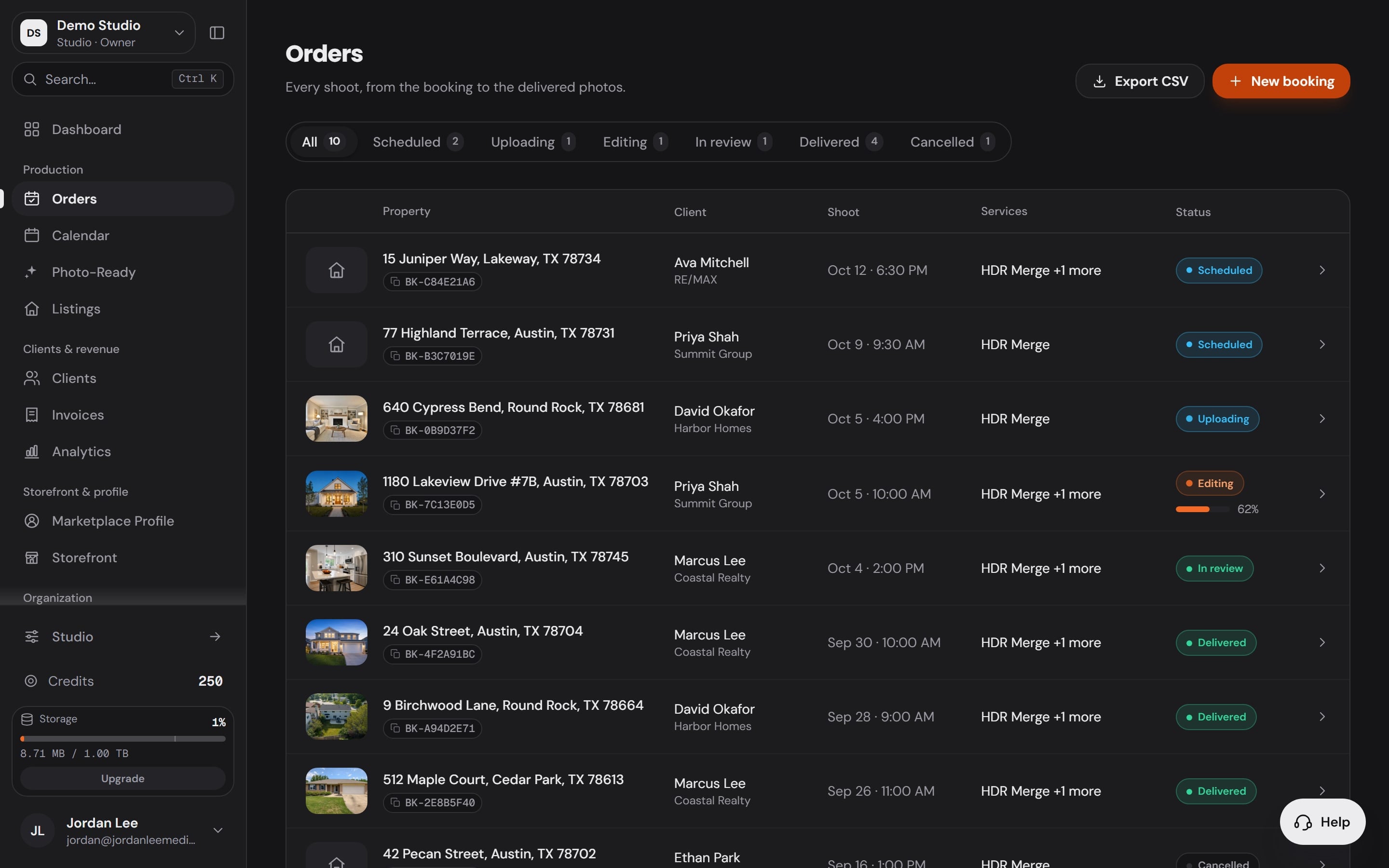
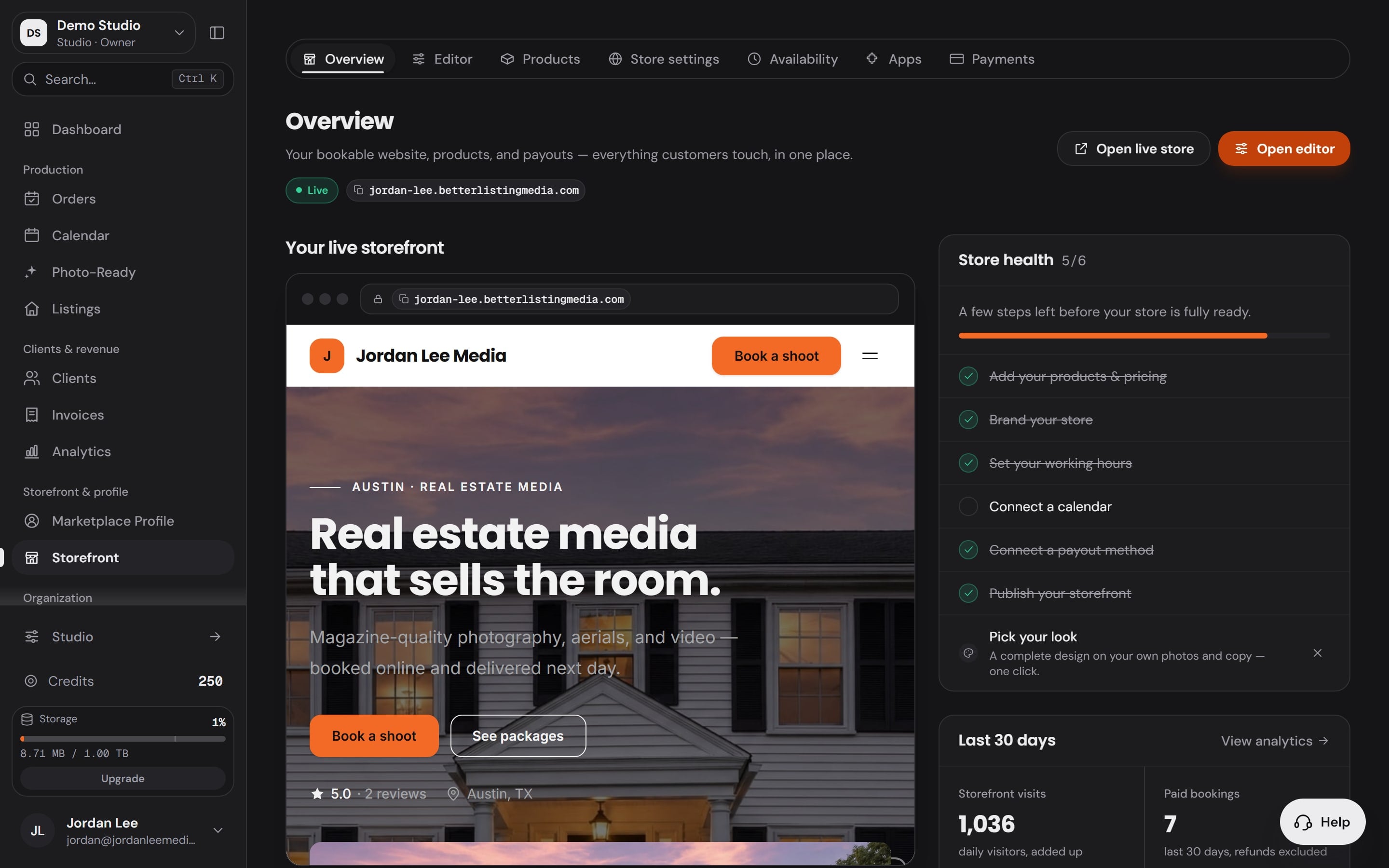
Booked in Workspace, Orders
The order lands with everything on it.
The client, the address, the date and the Services they picked arrive in Orders the moment they book.
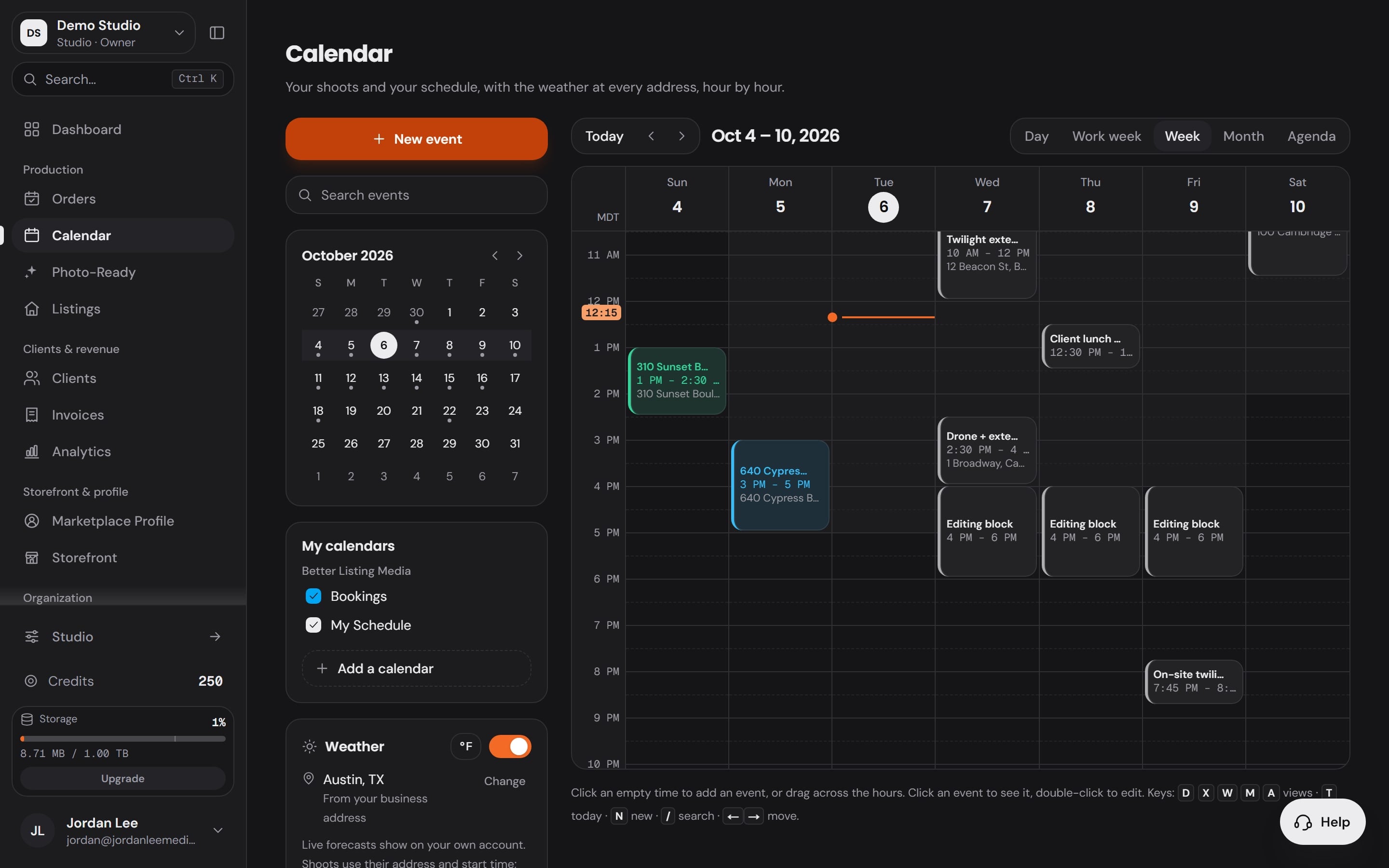
Scheduled in Workspace, Calendar
Your week, and the weather at each address.
Every shoot sits on one calendar beside the calendars you connect, with the conditions for the time you booked.
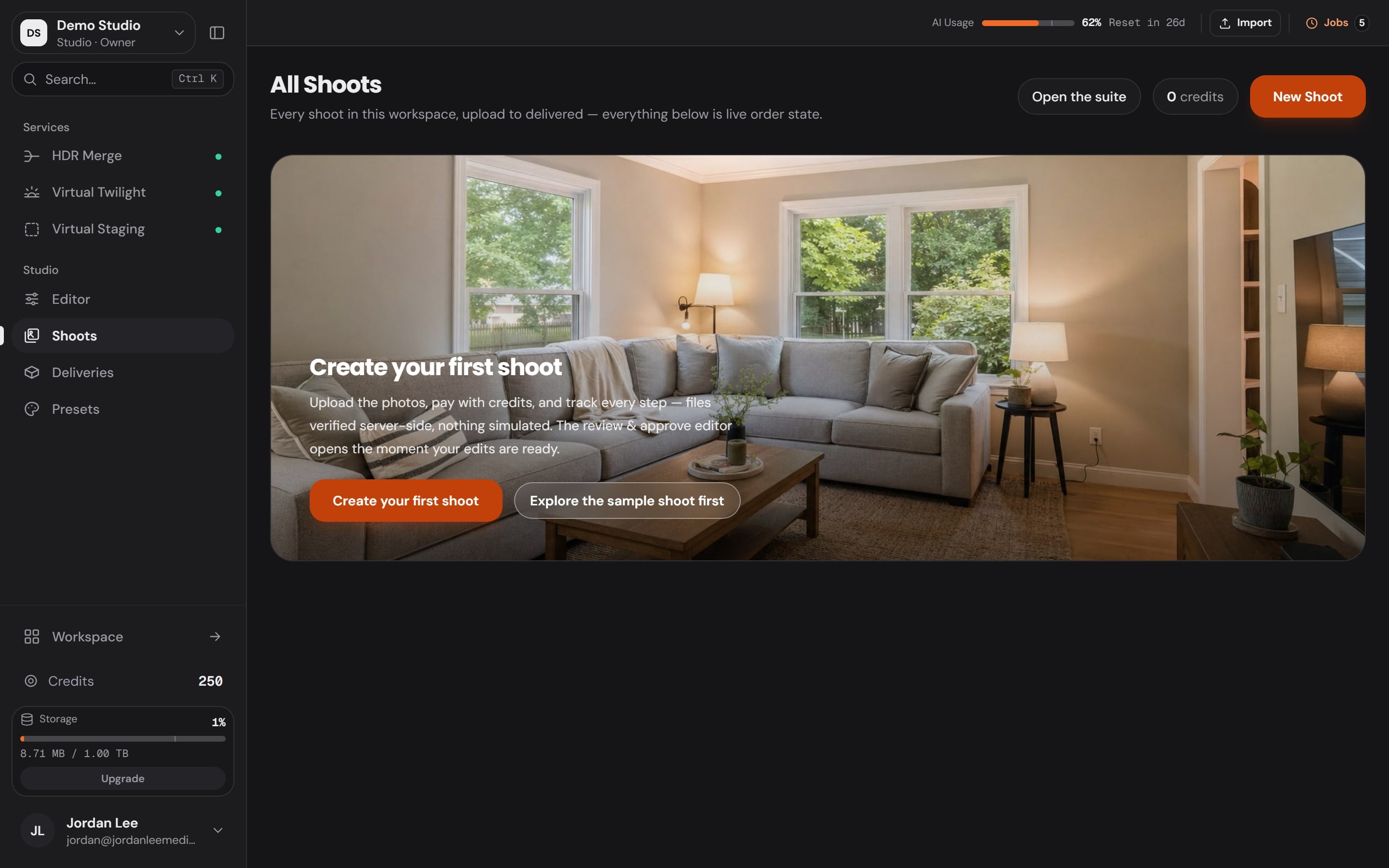
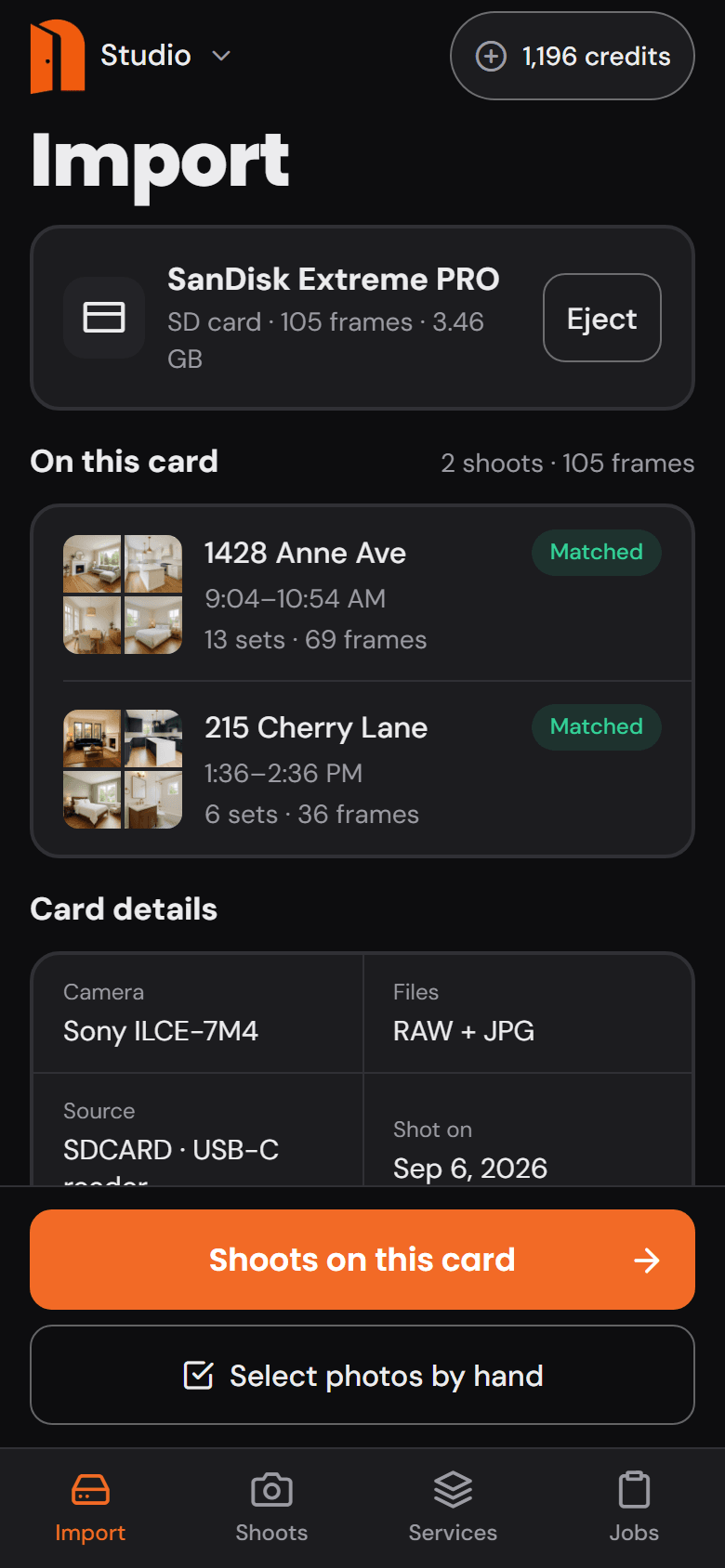
Imported in Studio, Shoots
Plug in the card. The shoot is waiting.
Studio lists the frames on the card and brings them in as a shoot for the booking. No renaming, no sorting.
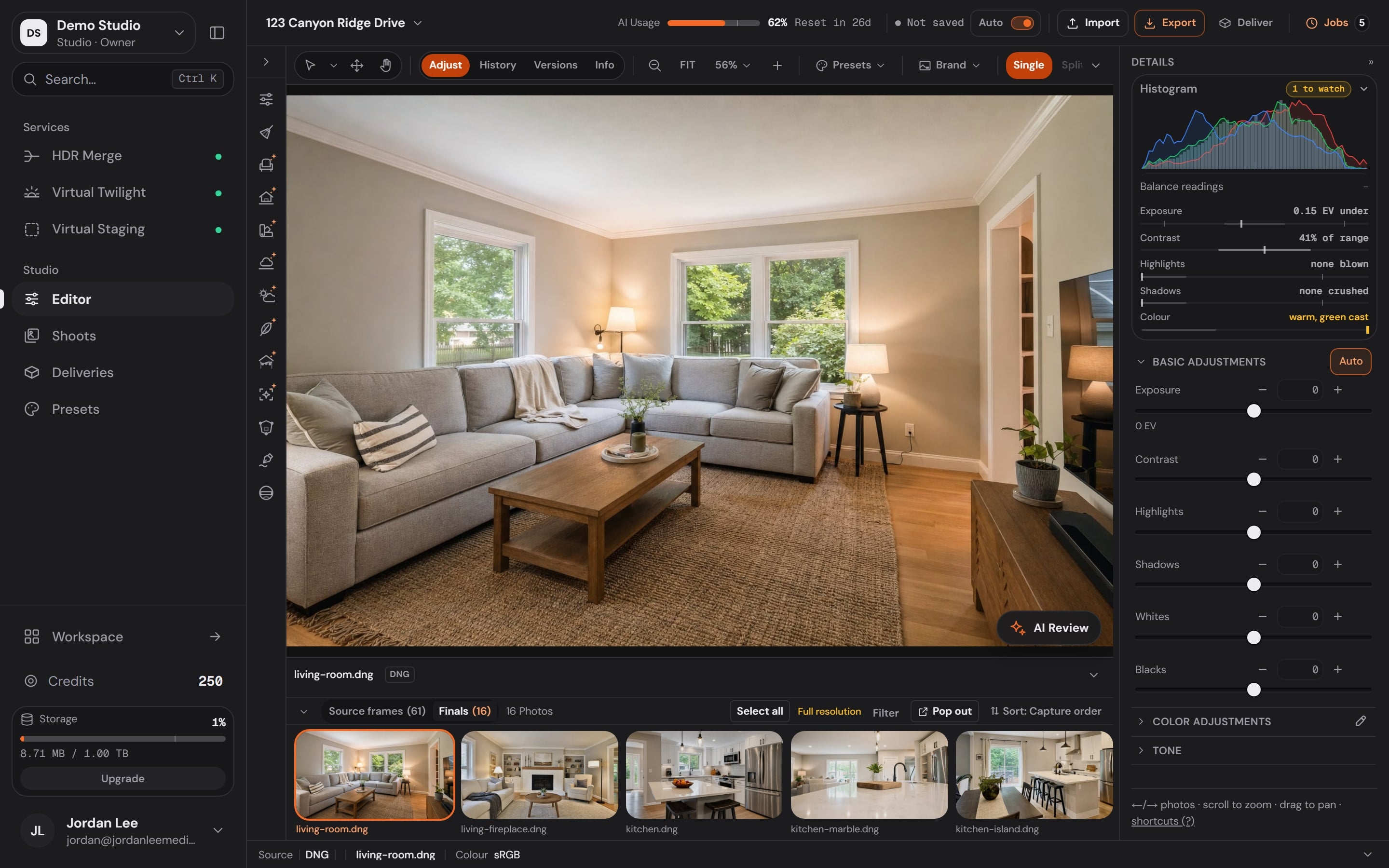
Edited in Studio, Editor
33 tools on one rail.
Adjust, crop and straighten by hand, order HDR Merge or Virtual Twilight from the dock, and watch the filmstrip fill with finals.
Delivered in Workspace, Storefront
Delivered under your name, not ours.
Your storefront, your booking page and your galleries carry your brand, so the agent remembers who shot the listing.
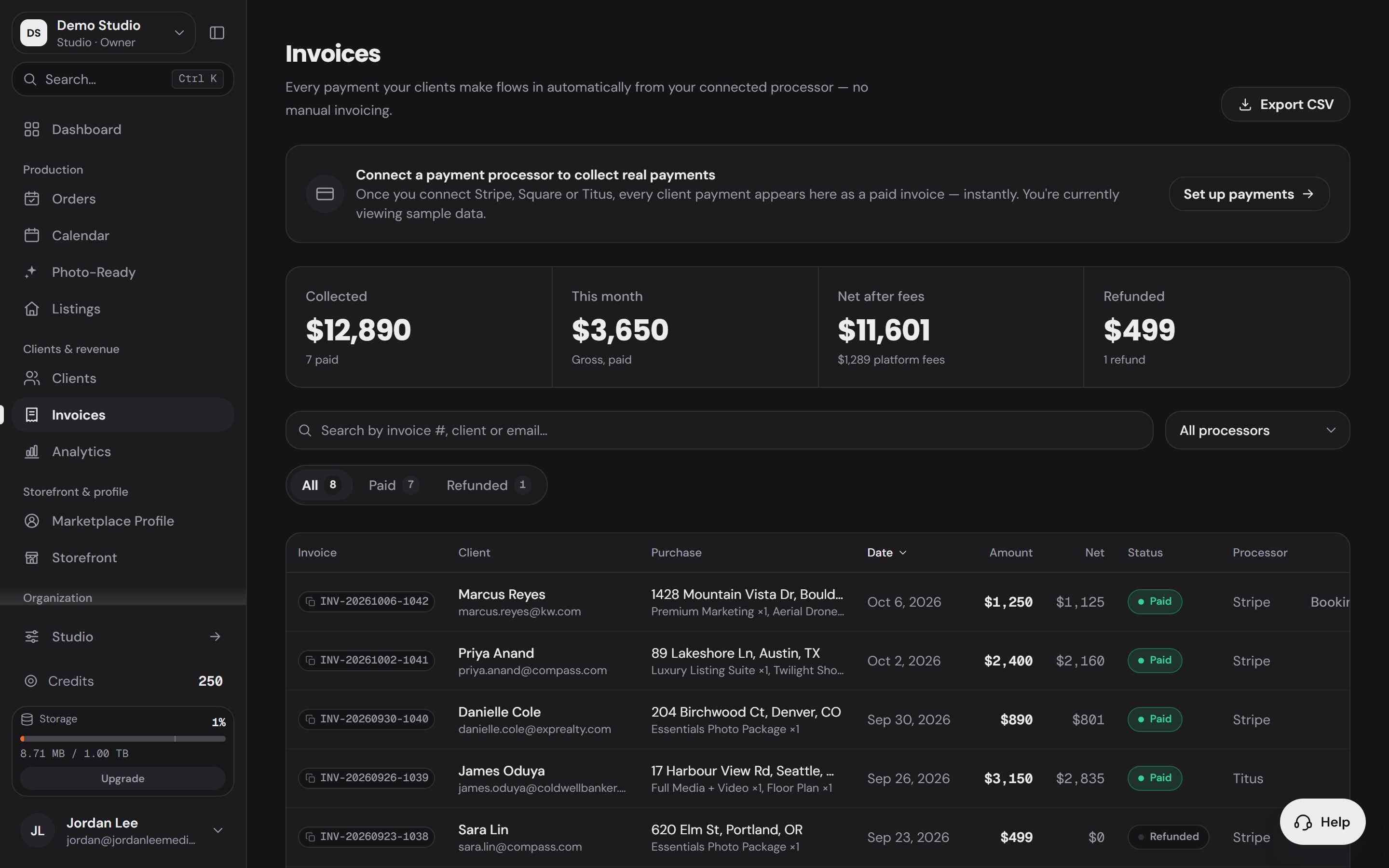
Paid in Workspace, Invoices
And the payment lands where the job started.
Invoices and payments from your connected processor sit beside the order, so the job closes in the app it opened in.
- Booked
- Scheduled
- Imported
- Edited
- Delivered
- Paid
- 1
Booked
WorkspaceWorkspaceThe order lands with everything on it.
The client, the address, the date and the Services they picked arrive in Orders the moment they book.
- 2
Scheduled
WorkspaceWorkspaceYour week, and the weather at each address.
Every shoot sits on one calendar beside the calendars you connect, with the conditions for the time you booked.
- 3
Imported
StudioStudio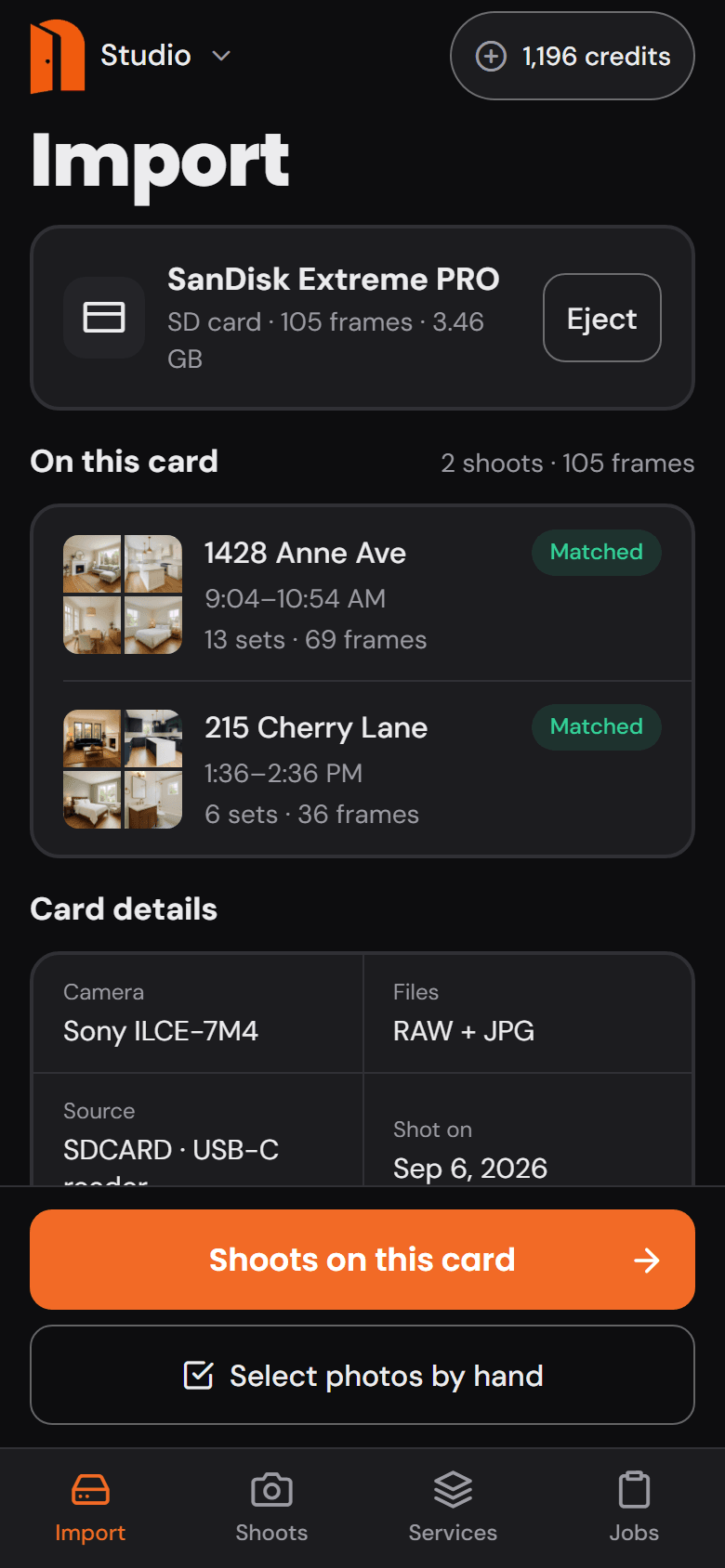
Plug in the card. The shoot is waiting.
Studio lists the frames on the card and brings them in as a shoot for the booking. No renaming, no sorting.
- 4
Edited
StudioStudio33 tools on one rail.
Adjust, crop and straighten by hand, order HDR Merge or Virtual Twilight from the dock, and watch the filmstrip fill with finals.
- 5
Delivered
WorkspaceWorkspaceDelivered under your name, not ours.
Your storefront, your booking page and your galleries carry your brand, so the agent remembers who shot the listing.
- 6
Paid
WorkspaceWorkspaceAnd the payment lands where the job started.
Invoices and payments from your connected processor sit beside the order, so the job closes in the app it opened in.
Edited, up close
The edit, on the frames themselves.
Studio puts 33 tools on one rail and 115 functions behind them. The finishes below are Services: ordered from the dock, priced before they run, delivered back into the same shoot.
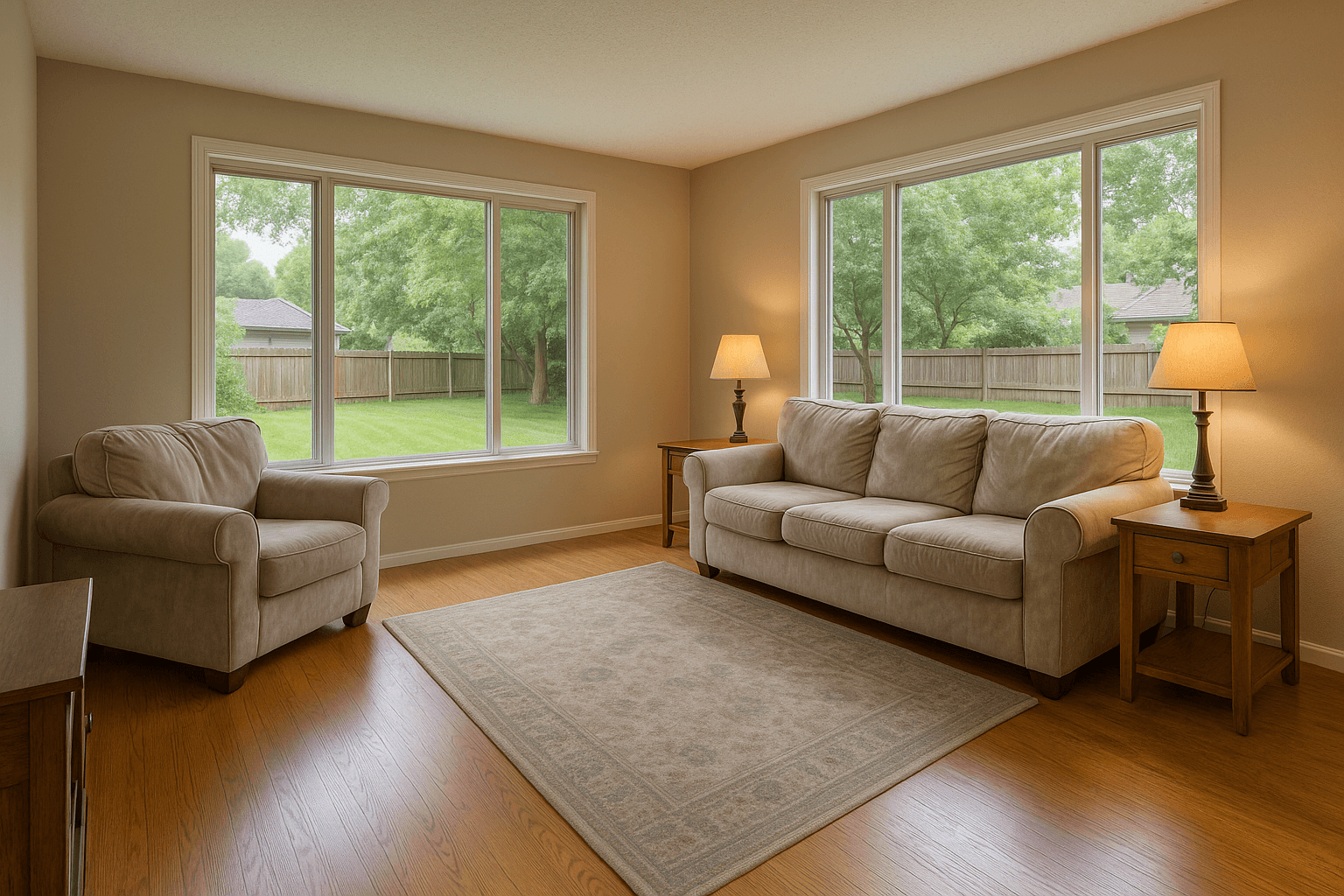

The base edit on every interior. The exposures go in from the card; one window-true frame comes back.
From $0.60 an image, pay as you go.Drag the handle.


Shot in daylight, delivered at dusk, from the dock in the same session.
From $2.00 an image, pay as you go.
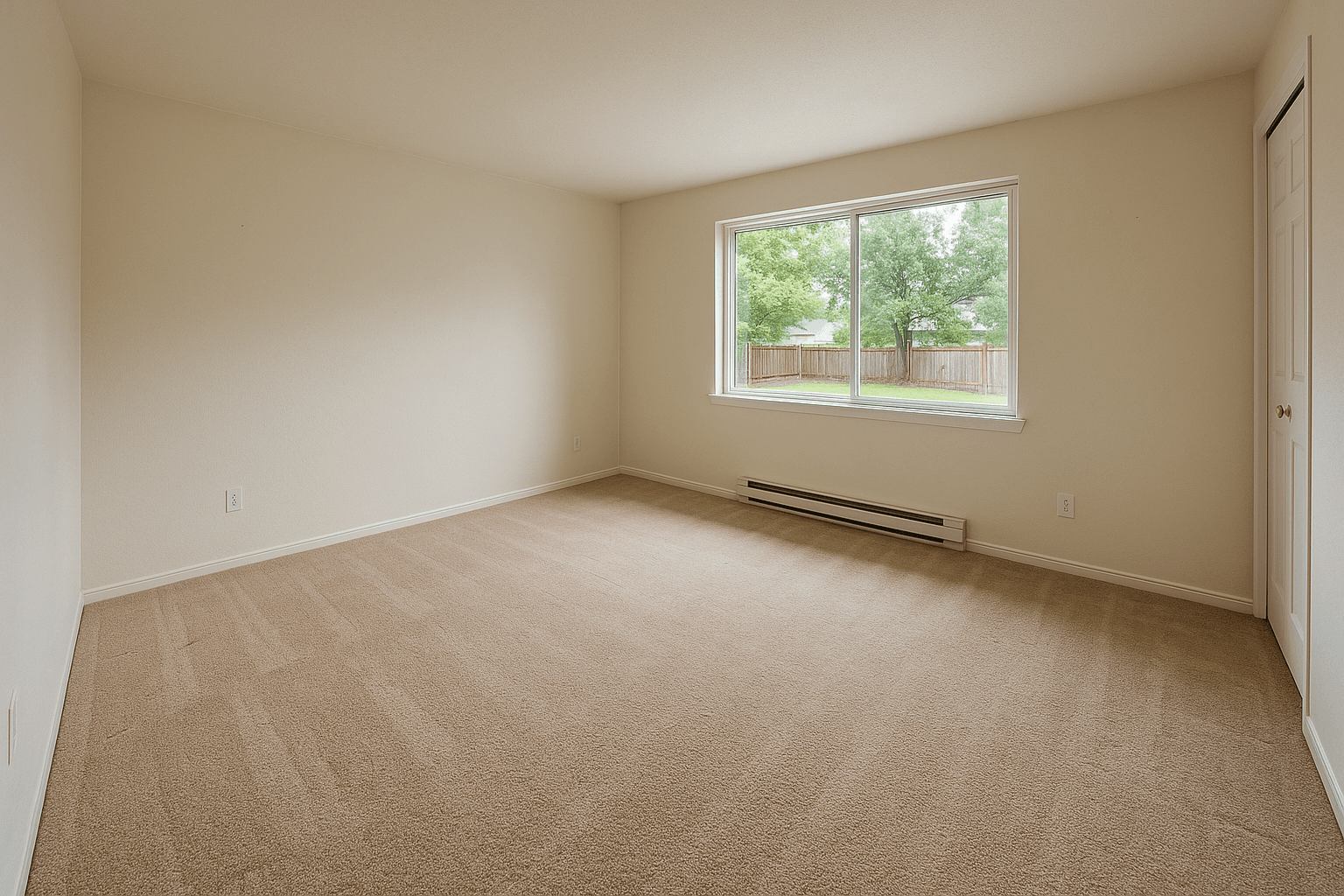
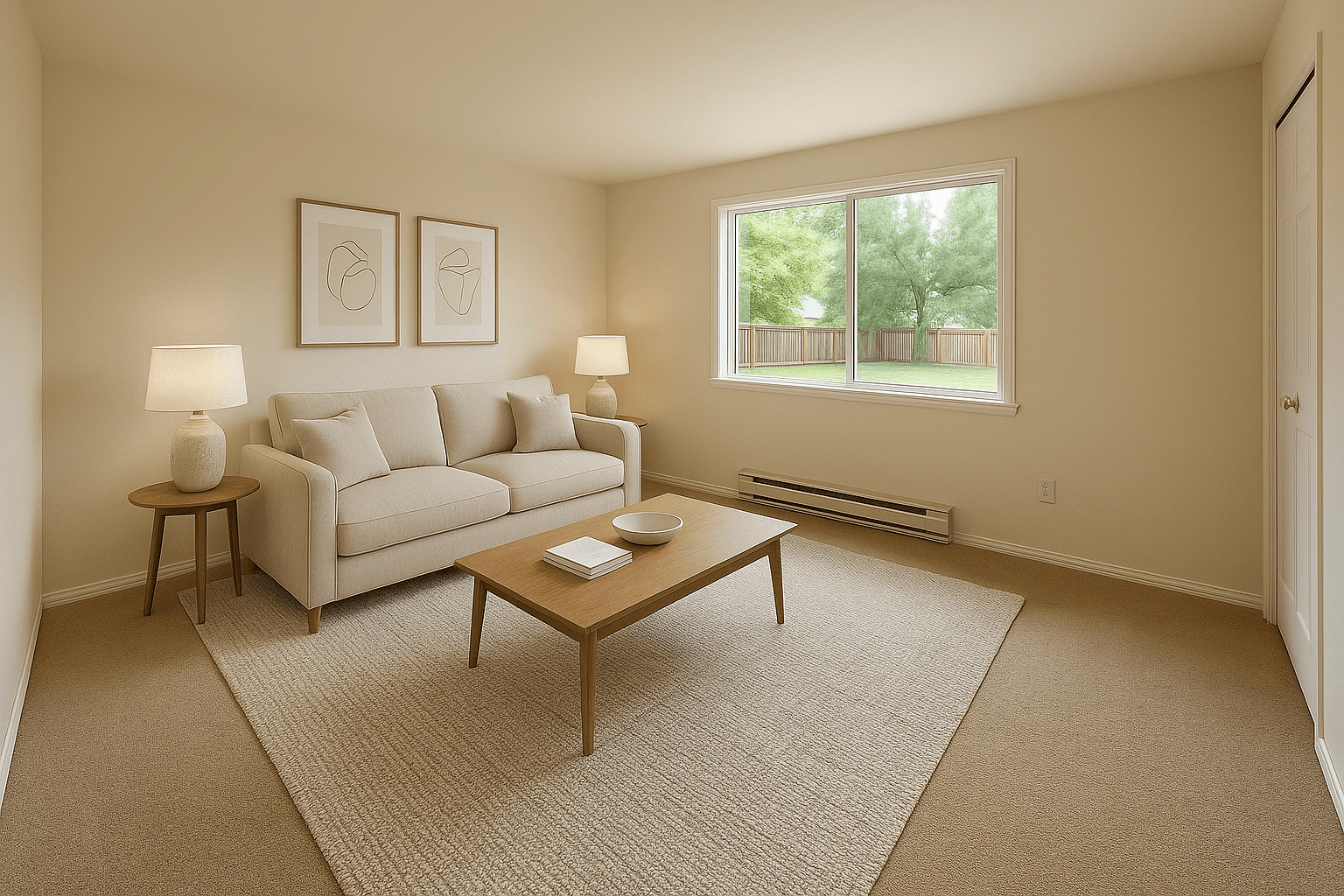
An empty room, furnished for the listing.
From $2.00 an image, pay as you go.
What holds on every chapter.
The money, the photos and the name stay with the photographer.
- 0%
- platform fee on storefront bookings, on a plan
- The client pays you through your own payment processor. Better Listing Media never holds the money; pay as you go carries 2.25%.
- Yours
- every photo, source and finished
- You keep your source files, and the edited output is yours for the MLS, print, social and anywhere else.
- Your name
- on the storefront, the booking page and the gallery
- The client books from your site and downloads from your gallery. Ours is not on either.
Before the first shoot.
The three things photographers ask before they bring a card in.
What file types can I bring in?
RAW or JPEG, as bracket sets or single exposures. Studio groups the exposures from the files themselves, and a single frame is finished as a single frame, not rejected.
Who owns the finished photos?
You do. You keep ownership of your source files, and Better Listing Media claims no ownership of the edited output. Use it on the MLS, social, print or anywhere else, with no additional royalties.
What if a photo is not right?
Nothing is delivered until you approve it, so a frame you are not happy with never reaches the client. Anything raised after delivery goes to you directly: you shot the listing and you deliver it.
Your next listing
runs the same way.
Booking, calendar, the card, the edit, the gallery and the invoice, in one account under your name.
No credit card required to sign up. Storefront and booking page from $19 a month.